History & SCD2
By default, Yres keeps the full change history of your source data using Slowly Changing Dimensions type 2 (SCD2). Instead of overwriting old values, Yres closes off the old version of a row and adds a new version. This lets you reconstruct any historical point in time: "what did this customer look like last month?".
This page explains how the HIS layer model is put together: the framework columns on every history table, how changes are detected via hashes, and how isCurrent guarantees exactly one current version per record.
SCD2 is the engine underneath the load types. The load type determines which rows are closed off or added; SCD2 determines how that happens. Read this page first to understand the load types correctly.
The three layers in brief
A load passes through three layers in the Azure SQL database (IRIS_DWH):
| Layer | Schema | Content |
|---|---|---|
| STAGE | STAGE (configurable via SchemaStage) | The raw source data of a single load + ETL_Date + the computed Keyhash/Rowhash. |
| HIS / ODS | the HIS schema name (default ODS, configurable via SchemaHIS) | The full SCD2 history: business columns + the framework columns below. |
| Exposed | Exposed and user schemas | Reporting views/tables on top of HIS. |
ADF only copies the source into STAGE. The actual historization — STAGE → HIS — happens entirely in SQL via [LoadManagement].[spHIS_InsertAndUpdate] (called by [LoadManagement].[spLoadDWH]).
The HIS layer is called "HIS" in the documentation, but the schema name comes from the SchemaHIS setting and defaults to ODS. A different schema can be used per table (for example ODS_Finance). In production the value may differ per environment.
The framework columns on every HIS table
Alongside the business columns, every HIS.<Target> table contains a fixed set of framework columns that make SCD2 possible:
| Column | Type | Meaning |
|---|---|---|
<table>_RowID | IDENTITY (integer) | The surrogate key of the row version — a unique, incrementing number. The name is the target table name with non-alphanumeric characters removed (casing is preserved), plus _RowID (e.g. AX_dbo_Cust → AXdboCust_RowID). |
ETL_Date | datetime | Timestamp at which this row version was loaded. One timestamp per load. |
ETL_EndDate | datetime | The moment at which this version was closed off. As long as a version is current, this holds the sentinel value 2999-01-01 00:00:00 ("open ended"). |
KeyHash | varbinary(66) | HASHBYTES('SHA2_512', …) over the key columns. Identifies which record this is. |
RowHash | varbinary(66) | HASHBYTES('SHA2_512', …) over the flagged change columns. Identifies whether the content has changed. |
Delta | nvarchar(1) | 'N' = new record, 'D' = changed record. |
IsCurrent | bit | 1 = current version, 0 = closed (historical) version. Always 1 or 0, never NULL. |
For each key there is exactly one row with IsCurrent = 1 at any given moment.
How Yres tracks a row over time
Suppose you have a customer with Id = 2 whose credit amount changes:
- First load — the row is inserted with
Delta = 'N',IsCurrent = 1andETL_EndDate = 2999-01-01. Open and current. - Later load, value changed — Yres detects the change (see below), inserts a new version (
Delta = 'D',IsCurrent = 1, newETL_Date) and closes off the old version:IsCurrent = 0andETL_EndDate= the newETL_Date.
Result: two rows with the same KeyHash, one closed off and one current. The full history remains queryable.
A common mistake: thinking that the FULL load type discards history. That is not the case. FULL preserves the SCD2 history (it is an upsert that versions changes). Only OVERWRITE removes history (it truncates the HIS table and reseeds the RowId). RELOAD closes off the entire current generation and inserts anew — the history is preserved in the process. See load types.
Change detection: KeyHash and RowHash
Yres does not compare source data column by column, but via two SHA-512 hashes. These are computed as persisted computed columns on the STAGE table (added by Config.spAddFrameWorkColumns):
ADD [Keyhash] AS (hashbytes('SHA2_512', concat(<key columns>, ''))) PERSISTED;
ADD [Rowhash] AS (hashbytes('SHA2_512', concat(<change columns>, ''))) PERSISTED;
spHIS_InsertAndUpdate reads those precomputed STAGE.Keyhash/STAGE.Rowhash and joins STAGE to HIS:
- Does the record already exist? Match on
STAGE.Keyhash = HIS.Keyhash AND HIS.isCurrent = 1. - Has the content changed? Changed if
STAGE.Rowhash <> HIS.Rowhash.
From this the per-row behavior follows:
| Situation | Action |
|---|---|
KeyHash not found in current HIS | New record — insert (Delta = 'N'). |
KeyHash found, RowHash differs | Changed — insert a new version ('D') and close off the old version. |
KeyHash found, RowHash equal | Unchanged — do nothing. |
Which columns count?
- KeyHash is built from the key columns. Yres selects them in this order: columns with
KeyColumn = 1; otherwise allNOT NULLcolumns; otherwise all columns (the "no-key" situation). - RowHash is built from the columns with
Rowhash = 1inUsedColumns. A column withRowhash = 0is excluded from change detection: if only that column changes, Yres sees no change and no new version is created.
Set Rowhash = 0 on columns that may be loaded but should not trigger a new history version — for example a free-text note field or a technical timestamp that changes on every export. This prevents an explosion of history rows caused by noise.
Surrogate keys
Besides the <table>_RowId (the surrogate key of each row version), Yres can create a stable surrogate key per natural key in [LoadManagement].[SurrogateKeys] (intKey, hashKey, jsonKey, TableName). This is optional and is controlled by:
- the function
[LoadManagement].[fxGetSurrogate](@Target), which by default follows theDefaultSurrogatesetting (default0= off).
When this is enabled, after the insert the engine adds a row (intKey, Keyhash, <key columns as JSON>, @Target) to SurrogateKeys for each new natural key. The intKey is a running counter per table (continuing from the highest existing key), so keys keep incrementing collision-free even after e.g. an OVERWRITE truncate. The key columns are ordered alphabetically so that the jsonKey stays stable; a dot in a column name is replaced by _ in the JSON name (values are left untouched). This is useful for star-shaped models in which fact tables reference a fixed integer key; the jsonKey is also a stable hook for custom extensions.
The Object history screen
In the frontend you view the version history of database objects via Data Engineering → Object history (/dataengineering/objecthistory). This screen shows the structure of the database, not the SCD2 row history itself — use it to see how an object (table, view, procedure) has changed across changes.
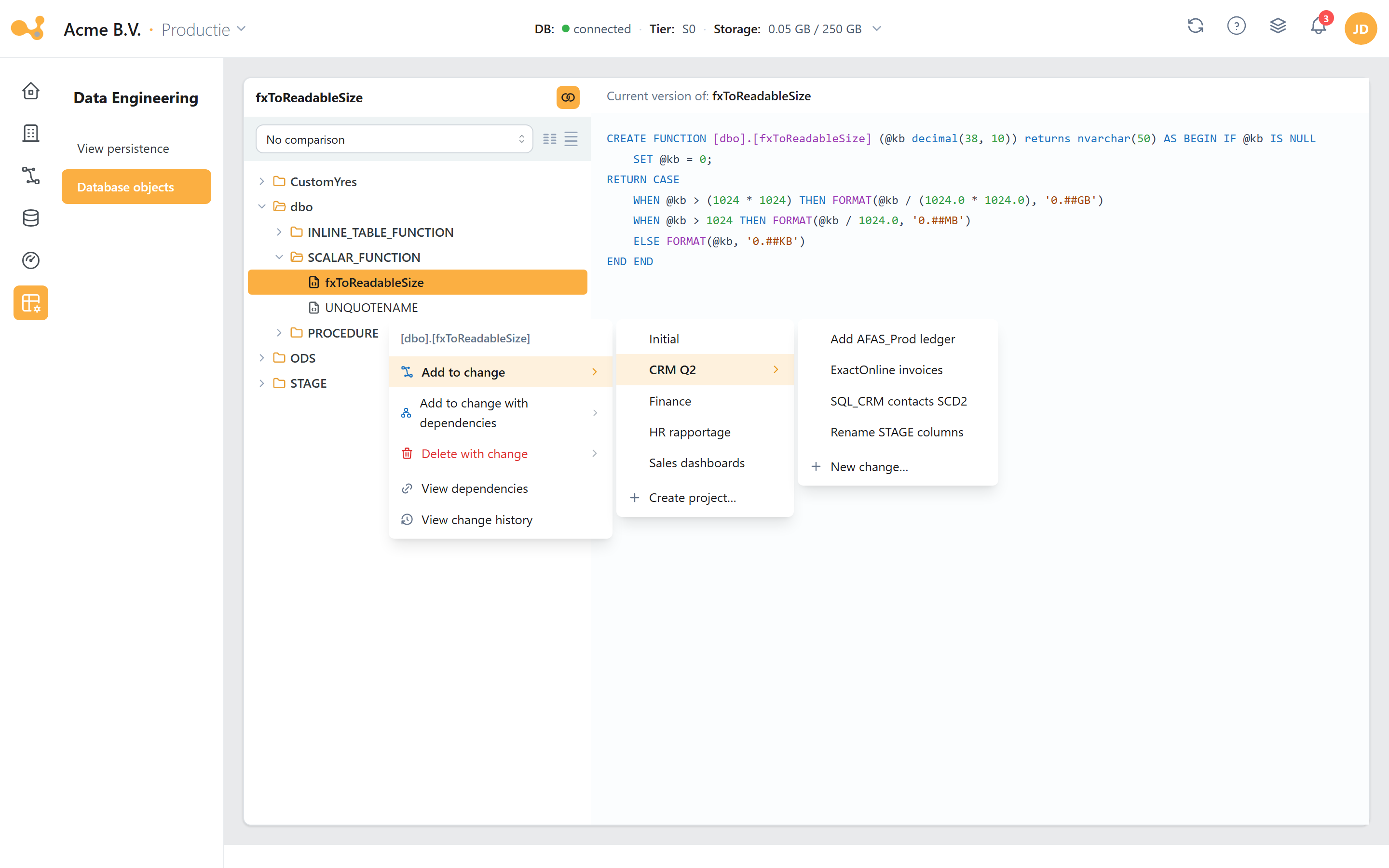
Object history shows the current definition plus the version history for each object; use the comparison selector to place two versions side by side.
The parts of the screen:
- Comparison selector (top, "No comparison") — pick an earlier version to place the current and chosen definitions side by side.
- Schema tree (left) — the schemas of the database (such as
ODS,STAGE,dbo,Dim). Expand a schema to navigate to the objects. - Definition panel (right) — shows the definition of the selected object; empty as long as nothing is selected.
Object history belongs to the Data Engineering section together with View Persistence and Database Objects. The full overview is on the Data Engineering page.
Summary
- Yres keeps history using SCD2: old versions are closed off, not overwritten.
- Every HIS row carries
<table>_RowId,ETL_Date,ETL_EndDate(open =2999-01-01),KeyHash,RowHash,DeltaandIsCurrent. KeyHash(SHA-512 over key columns) determines which record;RowHash(SHA-512 over change columns) determines whether it has changed. Both arevarbinary(66), computed on STAGE.- The match join is
KeyHash+isCurrent = 1; a change is a differingRowHash.Rowhash = 0excludes a column from change detection. - For each key there is always exactly one current version (
IsCurrent = 1). - FULL preserves history; only OVERWRITE removes it (truncate); RELOAD closes-and-reloads while preserving history.
See also: Load types · Glossary · Data Engineering.