Azure architecture
A supplement to Installation.
Yres runs entirely inside your own Azure tenant. For each organization × environment, one Azure Data Factory plus one IRIS_DWH Azure SQL Database is provisioned; Plainwater's Yres web app provisions and drives those resources, but never stores your data itself. This page describes which resources Yres uses, which permissions are required, and how the firewall, network, and scaling are arranged.
Azure resources that Yres uses
| Resource | Purpose | Yres integration | Cost |
|---|---|---|---|
| Azure Data Factory (ADF) | Orchestration & Copy | Yres generates linked services and pipelines, triggers runs, monitors them, and manages Integration Runtimes | Pay-per-activity + IR cost |
| Azure Blob Storage | Raw data landing | Staging of files for import | Hot/Cool tier |
| Azure Data Lake (Gen2) | Raw data (data science) | Stores data raw as Parquet; Yres adds RowHash, KeyHash, EtlDate | Storage |
Azure SQL Database (IRIS_DWH) | Curated storage, load engine & queries | Yres Copy lands in STAGE; stored procedures build the history in HIS/ODS and expose it via Exposed | DTU-/vCore-based |
| Azure Key Vault | Credentials | ADF reads secrets to connect to sources; the web app writes them there | Pay-per-operation |
Data from a source can be stored in the database, the Data Lake, or both. You make this choice per table when configuring the load.
Yres captures history in two places, and they work differently:
- In the Data Lake, Yres writes every extract out as Parquet with the framework columns
RowHash,KeyHashandEtlDate. This is the raw, untransformed landing — the basis for a medallion-style store for data science. - In the database (
HIS/ODS), the load engine builds a true SCD2 history via the stored procedure[LoadManagement].[spHIS_InsertAndUpdate]: for each record an open/closed version withETL_Date,ETL_EndDate,IsCurrentandDelta. Here theKeyHash/RowHashare persisted computed columns onSTAGEthat drive the change detection.
So the hashing in the Data Lake is not the same as the SCD2 versioning in the database. The load types and the History & SCD2 model determine which history ends up in the database.
App Registration — required permissions
Yres is granted access to an existing Azure tenant via an App Registration (single tenant) with the following API permissions:
- Azure DevOps — User impersonation
- Azure Key Vault — User impersonation
- Azure Service Management — User impersonation
- Microsoft Graph —
User.Read
Access levels
Access can be granted at three levels. In all cases, Yres needs Owner rights during installation (not just Contributor), because the app has to assign roles to the managed identities of the resources it creates.
- Tenant — discouraged; only briefly, for test scenarios.
- Subscription — fine if the subscription is for Yres only.
- Resource Group — recommended for long-term use. Do you already have the resource groups? Use level 3. Otherwise: start at subscription level and move the access to resource-group level once the groups exist.
The App Registration needs Owner rights (not just Contributor), because Yres has to assign roles to the managed identities of resources during installation. Preferably grant this at resource-group level.
Azure setups
| Setup | Description |
|---|---|
| Single subscription | Yres on one subscription; environments distributed across resource groups. |
| Split subscriptions | Each environment its own (existing) subscription. Subscriptions must exist beforehand. |
| Shared subscriptions | Some environments share a subscription (e.g. dev+test), prod separate. Shared subscriptions → separate resource groups. |
Multiple environments in one resource group is possible, but discouraged (errors and incorrect resource mapping in the frontend).
Resource providers (must be registered)
Missing provider registrations are a primary cause of failed installations. The following must be active in the subscription:
Microsoft.DataFactoryMicrosoft.KeyVaultMicrosoft.SqlMicrosoft.Storage
Naming
Yres follows existing naming conventions, with one fixed constraint: the first environment is always named dev. Resource names (SQL Server, ADF) therefore always contain dev, e.g. sqlsrv-xxx-dwh-dev. This cannot be changed, even if you use a different name for development internally.
Firewall & network
You manage firewall and network rules per resource from the Firewall admin screen. There you see, per resource (SQL Database, Key Vault, Storage account, Data Factory), which rules are active, which were created by Yres, and which you added yourself.
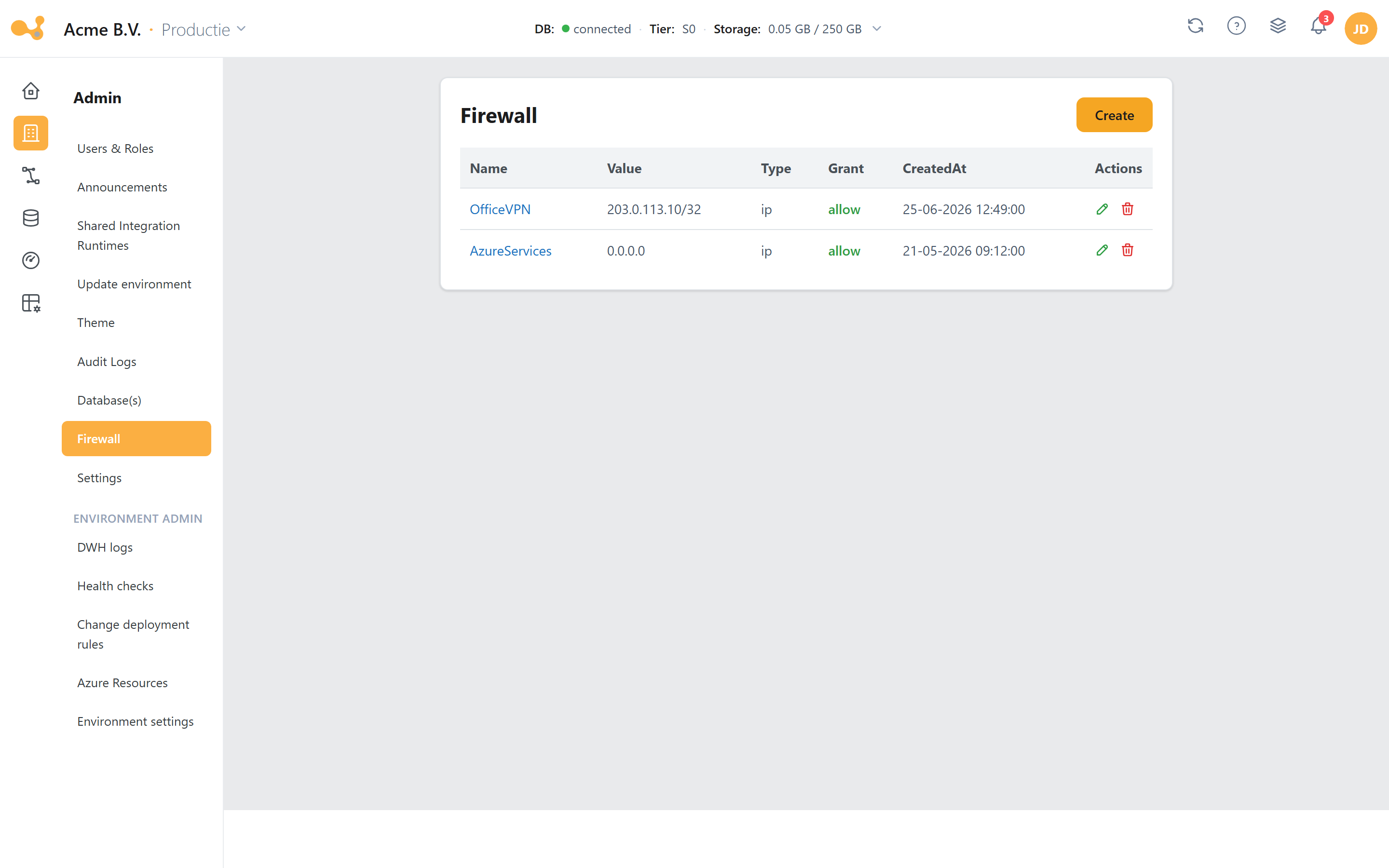
The Firewall screen under Admin: choose the Azure resource at the top, and manage the allowed IP rules for the selected environment below.
- Resource tabs — switch between SQL Database, Key Vault, Storage account, and Data Factory; each resource has its own set of firewall rules.
- State of the database firewall — for the database the firewall is on by default; the Yres IPs are already added during installation, so the web app and the Integration Runtimes can connect.
- Yres-managed rules — rules created by Yres (web app, IR pool) are marked; do not edit them manually.
- Add extra rules — add your own IP ranges (office, gateway, …) manually via the row at the bottom.
The key rules in brief:
- The database firewall is enabled by default; Yres IPs are added automatically during installation. Add extra rules manually.
- Storage accounts, Key Vault and ADF have no active firewall by default.
- All network rules are supported, provided resources can reach each other and the web app.
- VPN access for the web app is available on request; the web app itself also has a firewall to restrict access by location.
The web application firewall is included in all tiers. Site-to-site VPN is available at an additional cost; the exact price depends on your requirements — not version-bound.
Scaling
Azure auto-scaling works on CPU usage, but SQL Server does not easily release memory — databases then stay expensively stuck on a high tier. Yres manages scaling around loads/refreshes: scale up only when needed, then scale back down immediately.
The scaling behavior is driven by the settings AutomaticDatabaseScaling, DefaultServiceTier (base tier), and HighServiceTier (the tier to scale up to under load). Set AutomaticDatabaseScaling = 0 to disable automatic scaling. See Admin for managing the DWH settings.
Installation model (invitation link)
Installing requires an invitation link from Plainwater: tied to a single Microsoft account, single-use, configured for the purchased version and the number of environments in the license. Reusable until the installation is complete; invalid afterwards. A typical installation takes about 20 minutes according to the documentation, depending on the number of environments.
| Version | Sources | Environments |
|---|---|---|
| Essentials | 2 | 1 |
| Advanced | 5 | 2 |
| Ultimate | Unlimited | Unlimited |